
Everything a wheel and tire store needs to sell what fits.
Vehicle search, a two-step package builder, a cart you control, upsells, price match, a customer build community and brand tiers, running on your Shopify store.
01 / 09
Pick the truck. See only what fits.
Shoppers choose year, make, model, body and trim, then search by wheel, tire or keyword. Parts that won't fit their vehicle never show up.
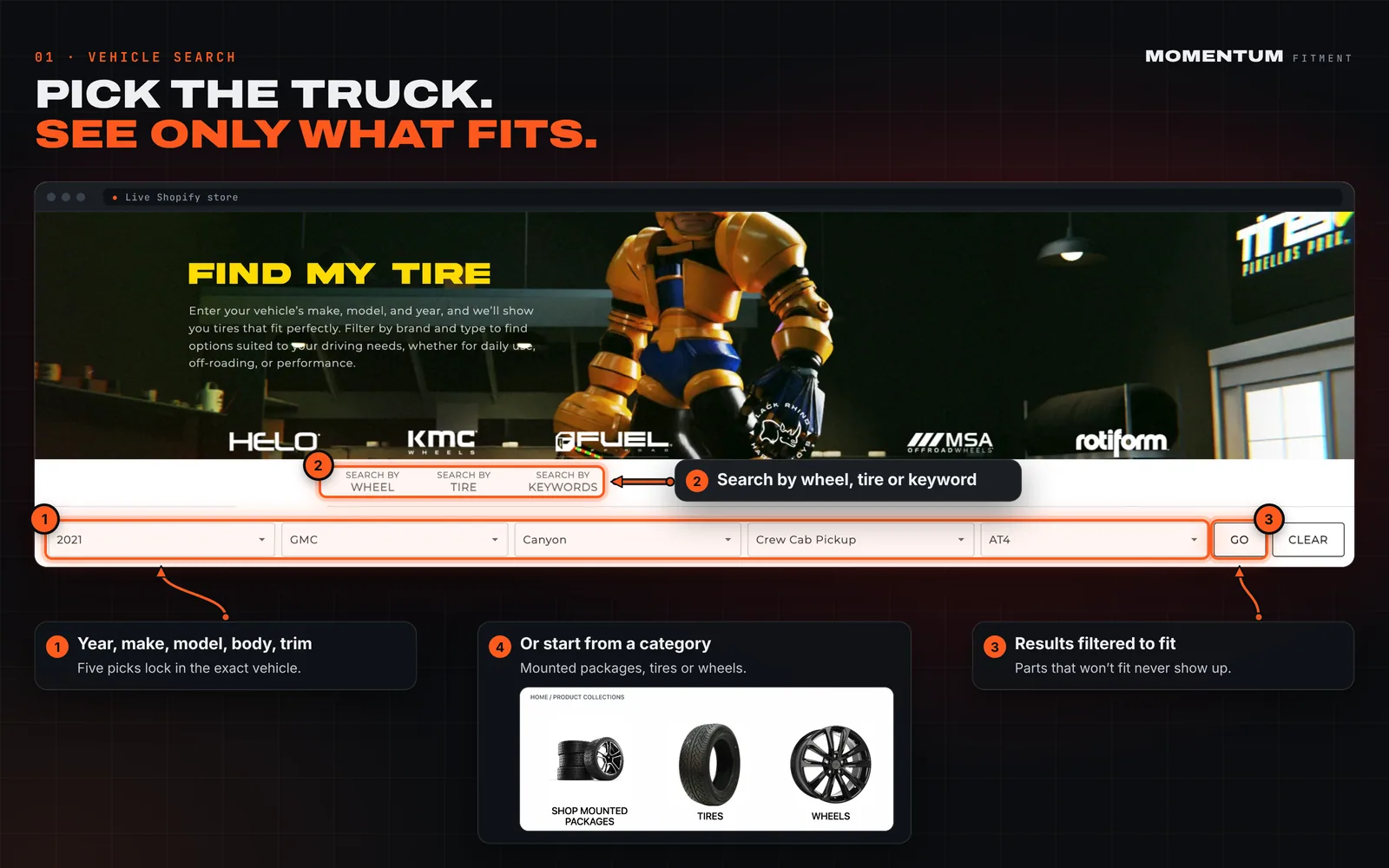
- Year, make, model, body and trim picker
- Search by wheel, tire or keyword
- Results filtered to the exact vehicle
- Or start from packages, tires or wheels
02 / 09
Wheels that fit. Nothing else.
The vehicle stays locked in while the shopper builds a package. Bolt pattern, hub bore and thread are pulled for that exact truck, and every upsize from the OEM size still fits.
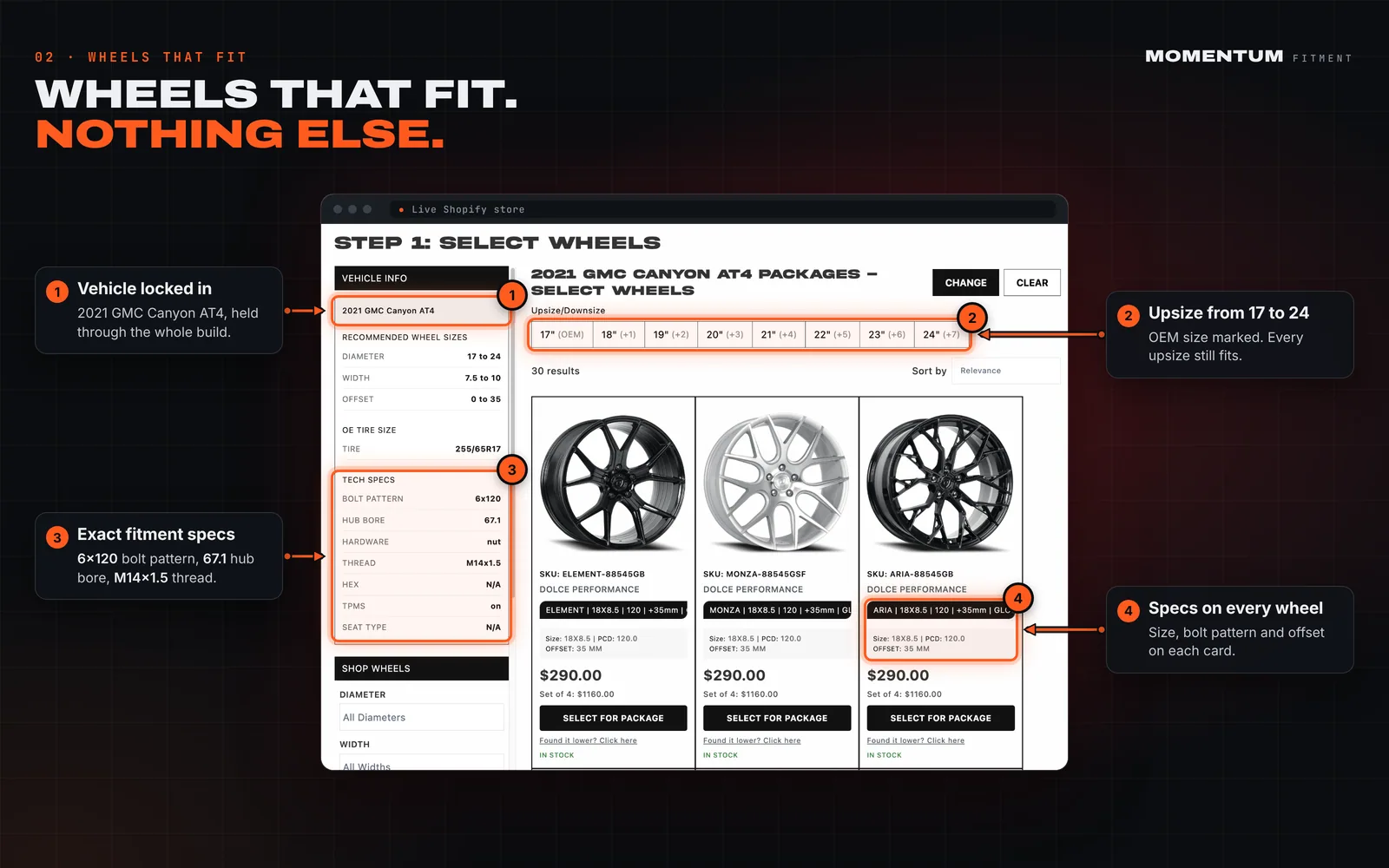
- Vehicle locked in for the whole build
- Upsize from 17 to 24 inches, OEM marked
- Bolt pattern, hub bore and thread up front
- Size, bolt pattern and offset on every wheel
03 / 09
Tires matched to the wheel they chose.
Step two keeps the chosen wheel pinned and shows only tire sizes that fit it. One click adds the full wheel and tire package to the cart.
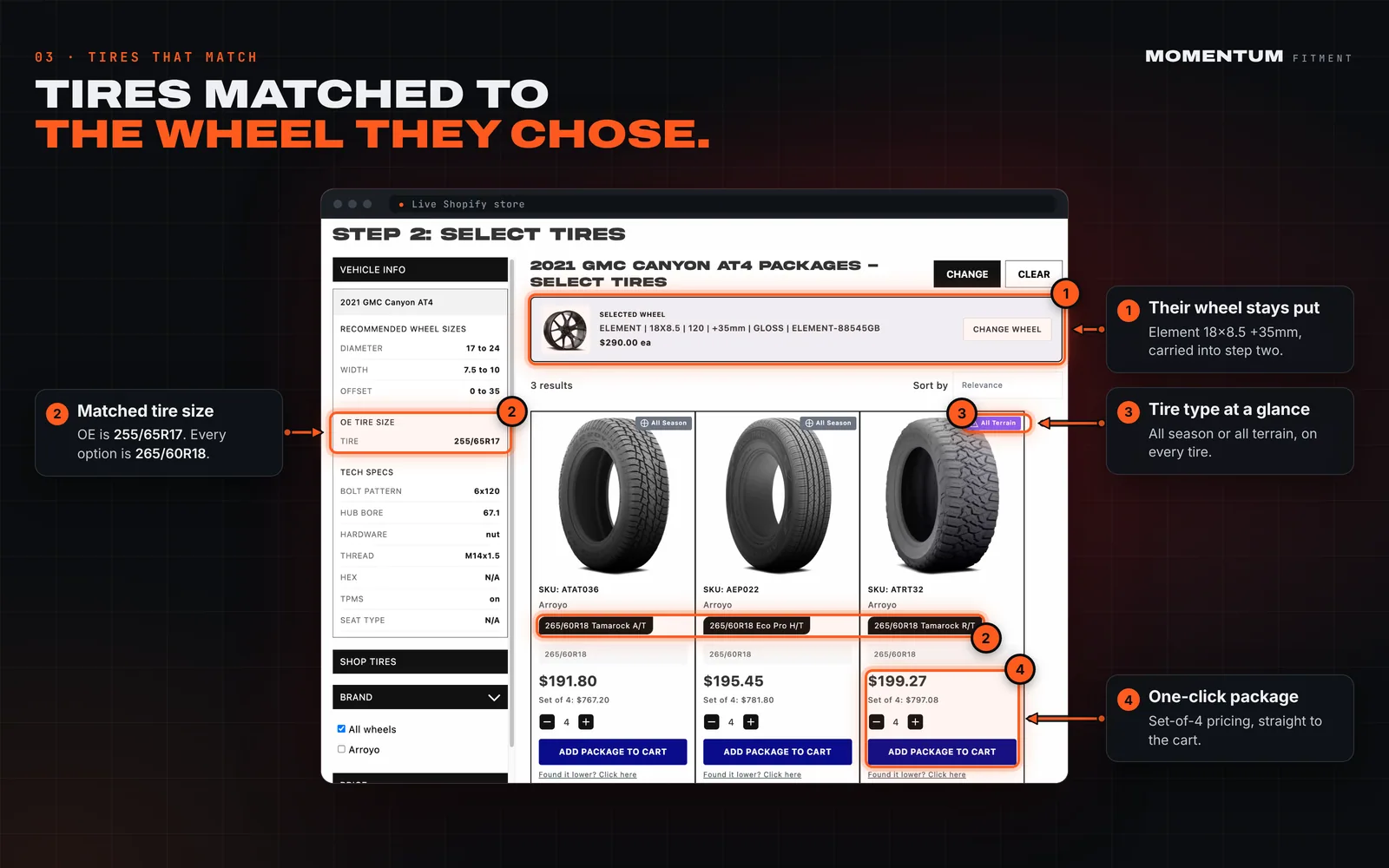
- Chosen wheel carried into step two
- Only tire sizes that fit the new wheel
- Tire type tagged on every option
- Set-of-4 pricing, package to cart in one click
04 / 09
Price shoppers become leads.
A “Found it lower?” link sits under every price. Shoppers tell you where they saw it cheaper, and you get the product, the competitor and their contact details.
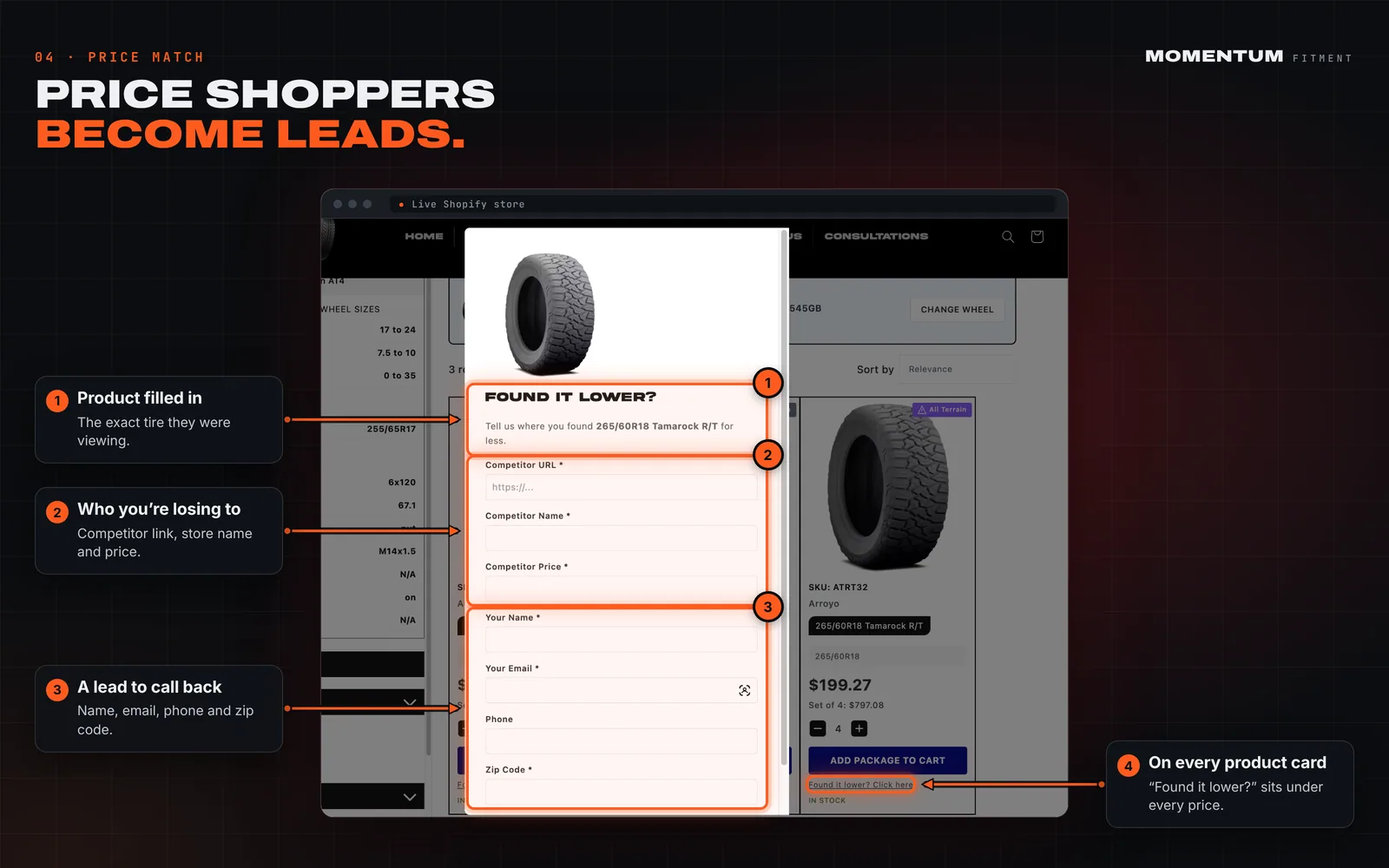
- Tied to the exact product
- Competitor link, store name and price
- Name, email, phone and zip code
- On every product card
05 / 09
Real builds, filtered by their truck.
A forum of customer builds that shoppers filter by year, make and model, so they see rigs like theirs running the wheels you sell.
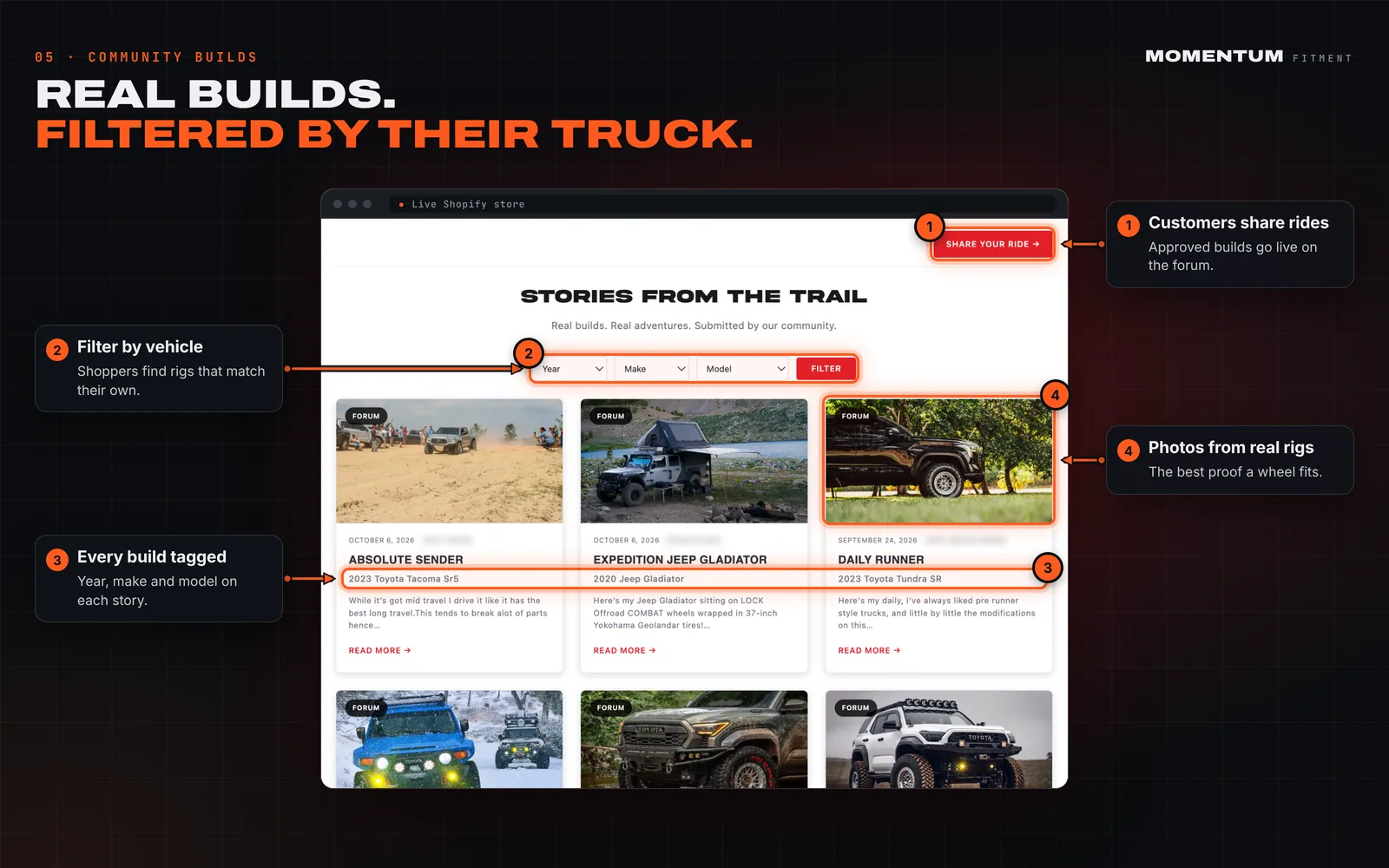
- Customers share their ride from the forum
- Filter builds by vehicle
- Every build tagged to a vehicle
- Real customer photos
06 / 09
Customers post the proof for you.
Customers submit their build with the full setup: vehicle, wheel, bolt pattern, size, offset, lift and up to three photos. You approve it, then it goes live.
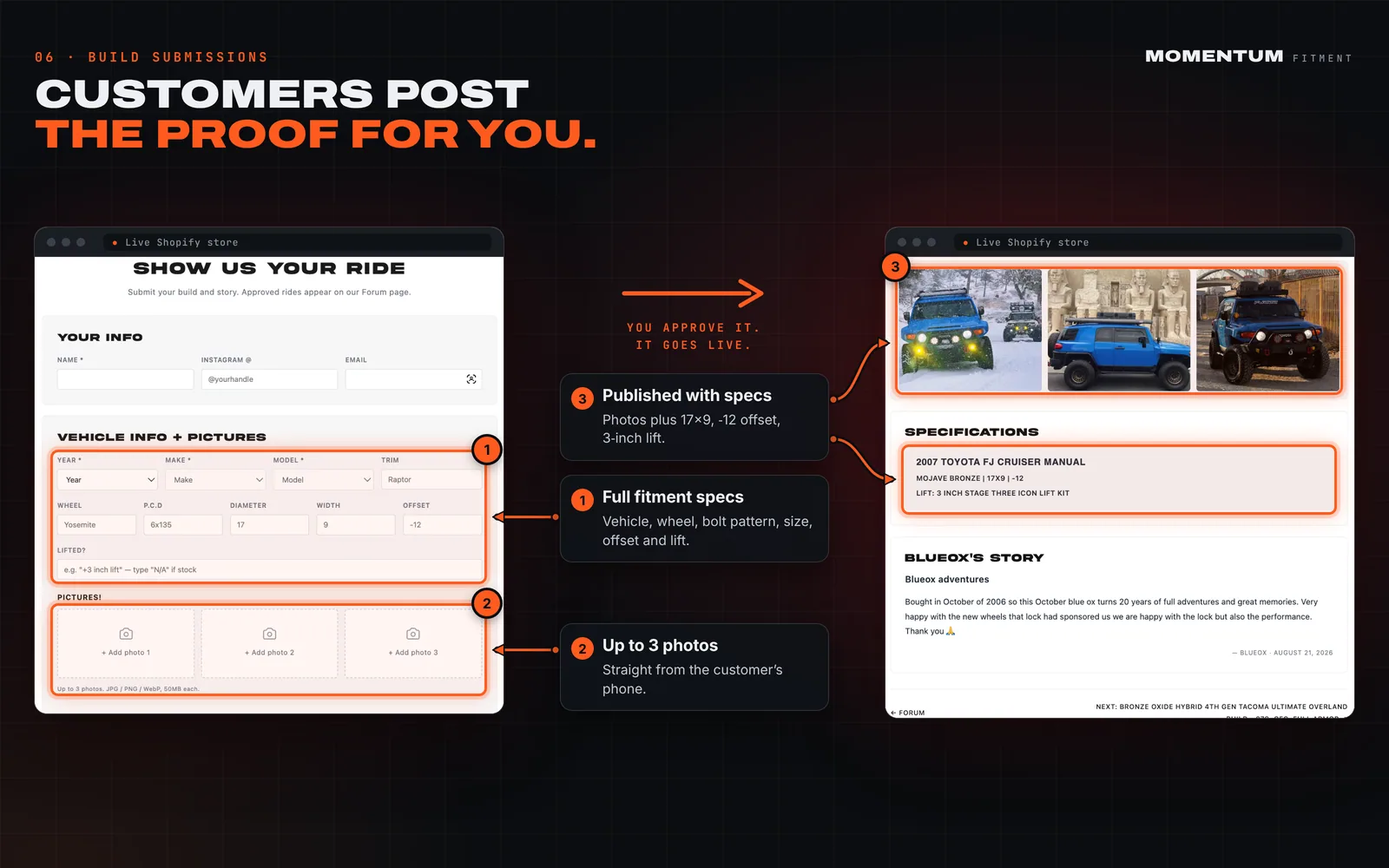
- Full fitment specs on every submission
- Up to three photos per build
- Published with photos and the exact setup
- Nothing goes live until you approve it
07 / 09
Good, better, best. Set it once.
In the Shopify admin, give every brand a quality tier and a logo, then apply them to every product in one batch.
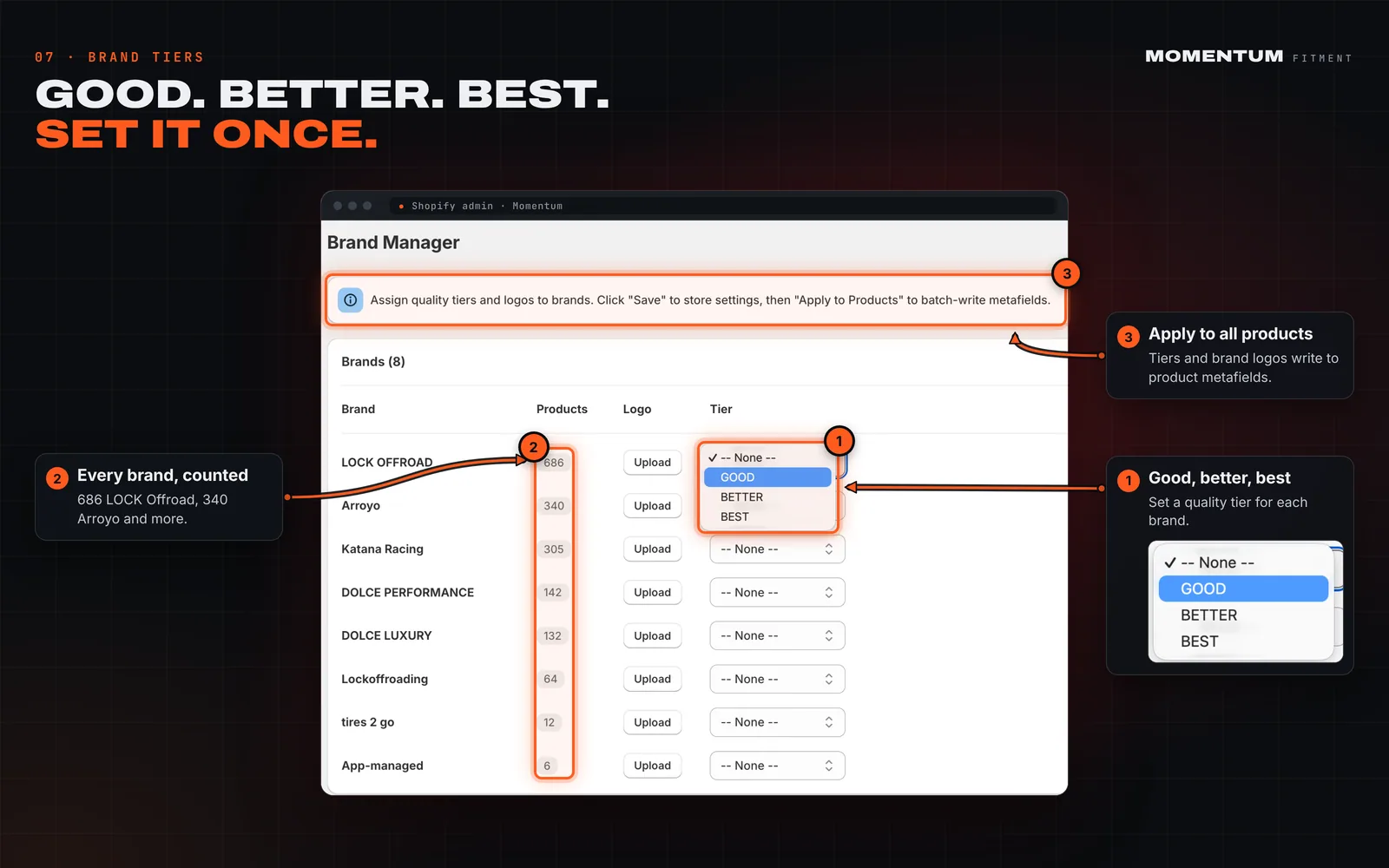
- Good, better, best tier per brand
- Product counts for every brand
- Tiers and logos batch-write to every product
- Brand logo upload
08 / 09
Your cart, your rules. No Shopify Plus needed.
Add state tire fees, road hazard protection, services and promos to the Shopify cart without upgrading to Shopify Plus.
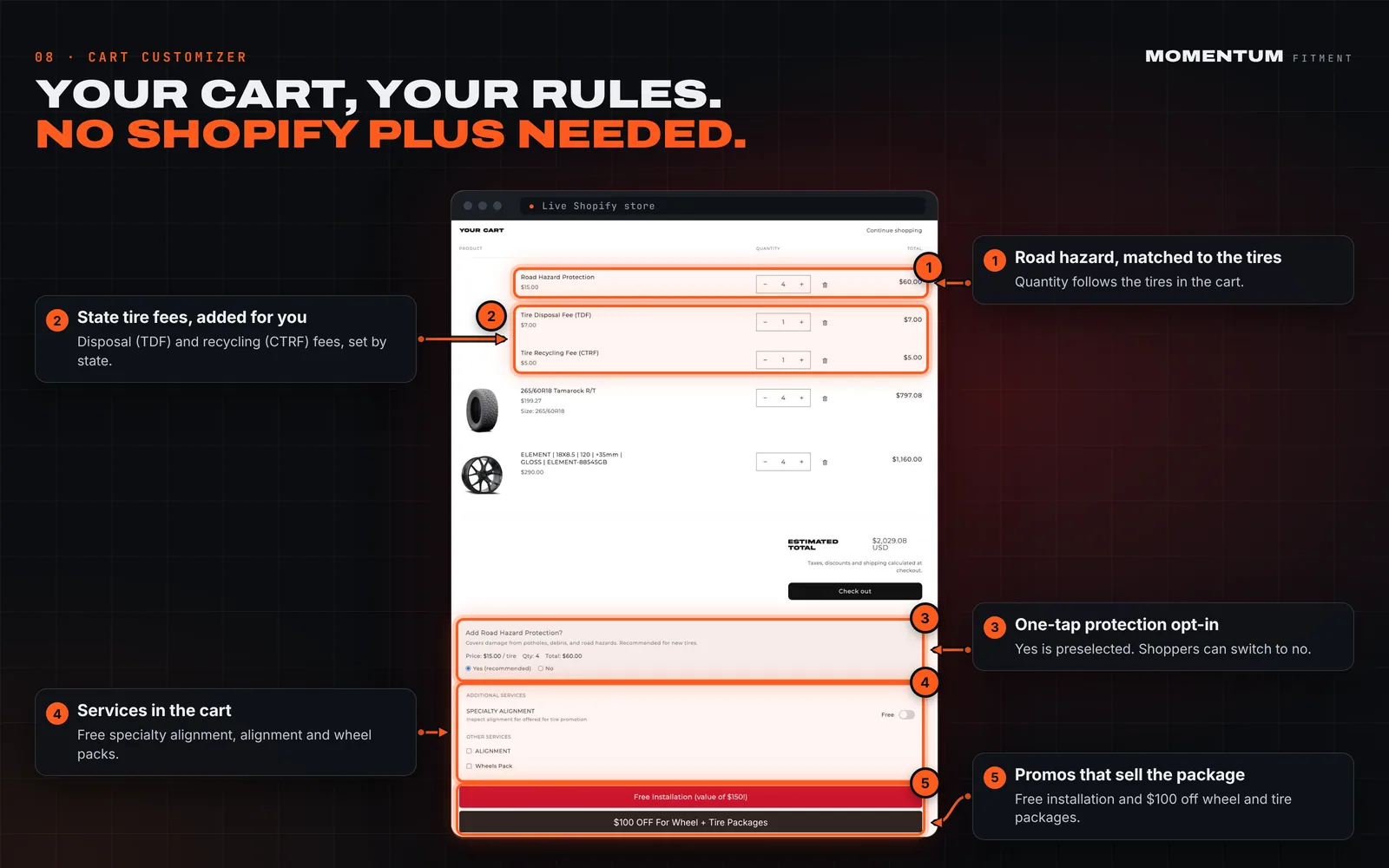
- Road hazard protection matched to the tire count
- State disposal and recycling fees added automatically
- One-tap protection opt-in, preselected
- Alignment and wheel services in the cart
- Promo banners for installs and package discounts
09 / 09
Upsell the whole setup, right after add to cart.
Pick a trigger and the products to offer. When a shopper adds a wheel, a pop-up offers matching tires, protection and services that fit their vehicle.
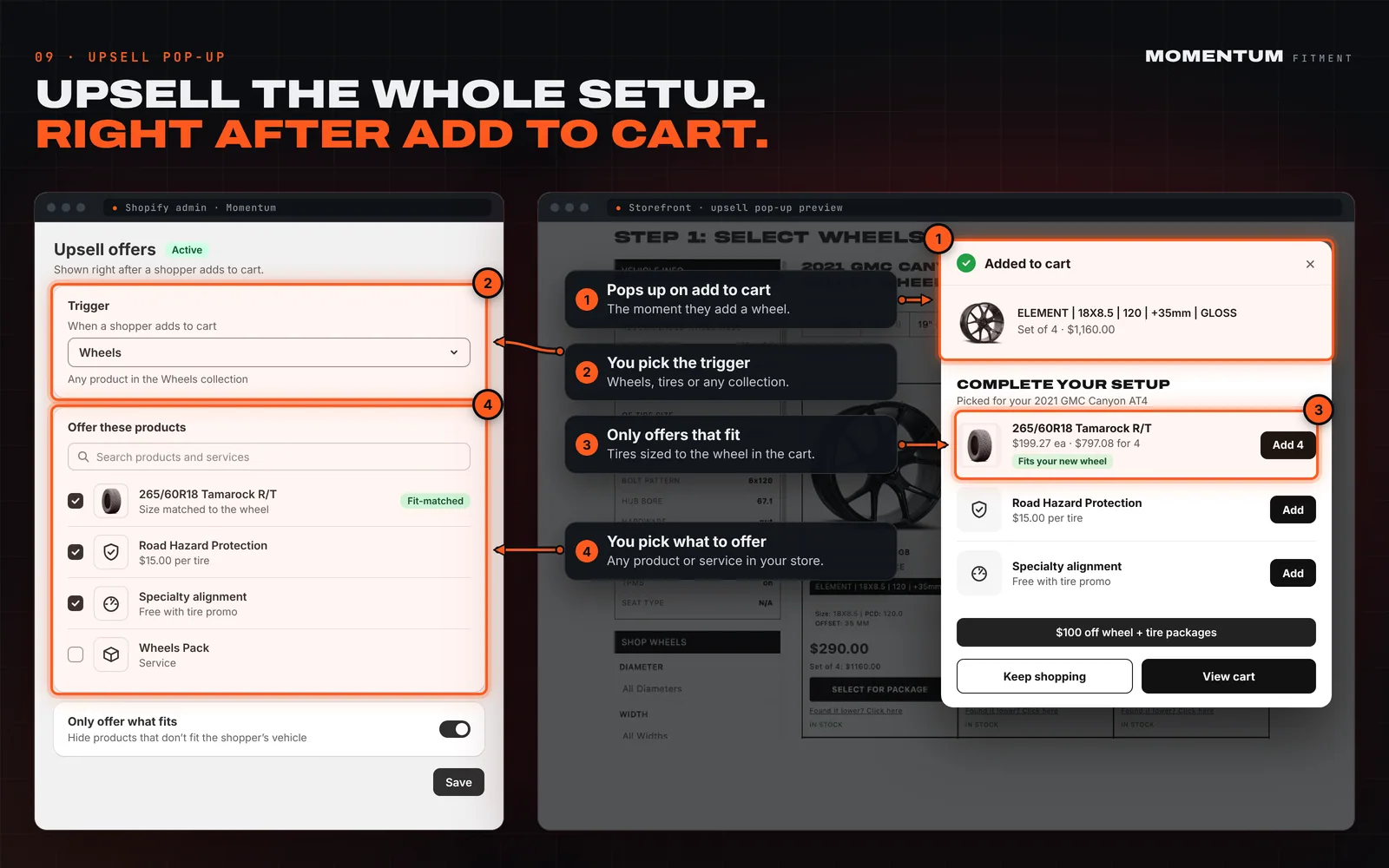
- Pops up the moment they add to cart
- You pick the trigger: wheels, tires or any collection
- Offers sized to the wheel they added
- You pick any product or service to offer